

T-Robot — Visa transfer system
Leave visa transfers to your robot.
Attached to Turasistan CRM, T-Robot carries out visa transfer work on your behalf. Passengers join the queue, T-Robot processes them in order; your team only follows the results.
Works together with Turasistan CRM.
How it works
Hand over the queue, watch the results.
Transfer work stops interrupting your team's day: passengers are queued, T-Robot processes them, statuses are written to the CRM.
- CRM
- Queue
- T-Robot
- MoFA
- Status
- 01
Passengers join the queue
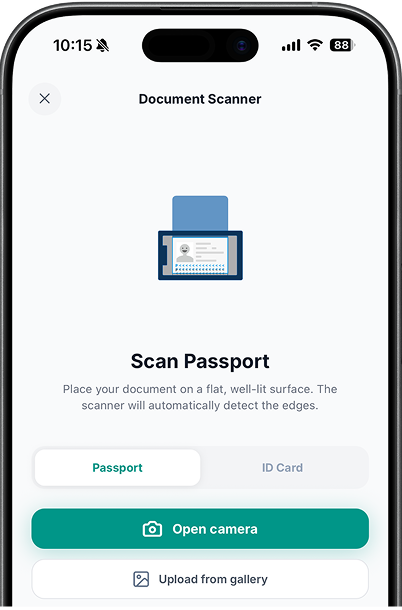
Pick the passengers to transfer from CRM groups and tours; records entered with the MRZ reader can be queued directly too.
- 02
T-Robot processes in order
Transfers are not done one by one by hand; T-Robot works through the queue while your team stays off the screen.
- 03
Statuses are written to the CRM
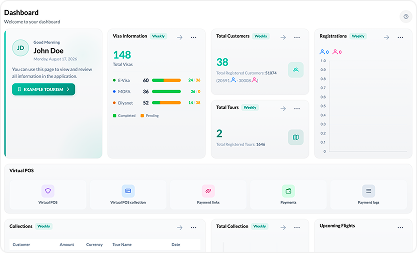
Each passenger's transfer status is written onto their record; you follow it by group on the visa screen.
- 04
Gaps are reported to you
Unprocessable records and missing details are separated out; your team only deals with the passengers that need attention.

Why T-Robot?
Keep the team off the waiting screen.
When hundreds of transfers are done by hand in peak season, most of the work is waiting and retrying.
With manual transfer
- Every passenger is processed one by one, by hand
- The team waits at the screen for hours
- Statuses are checked by hand and written to a list
- It gets unclear which passenger you stopped at
With T-Robot
- The queue is handed over and processed in order
- The team only follows the results
- Statuses post automatically to the CRM record
- Missing and failed records separate themselves out
Features
The invisible employee of your visa operation.
T-Robot is not a separate program; it works with the passenger data in your CRM and writes its results back to the CRM.
- Transfer
- Electronic transfer via the MoFA integration
- Hajj, Umrah and tourist visa transactions
- Inter-agency visa transfer
- Bulk processing by group
- Tracking
- Per-passenger transfer status
- Results written onto the CRM record
- Missing-document and error separation
- Live view of the queue
- Integration
- Runs attached to Turasistan CRM
- Processes records from the MRZ reader
- Uses the same data as the visa screen
- Company-specific usage
Hand visa transfers over to T-Robot.
Let us give your team a personal walkthrough; watch the queue melt with your own group.
Used together with a Turasistan CRM subscription.